

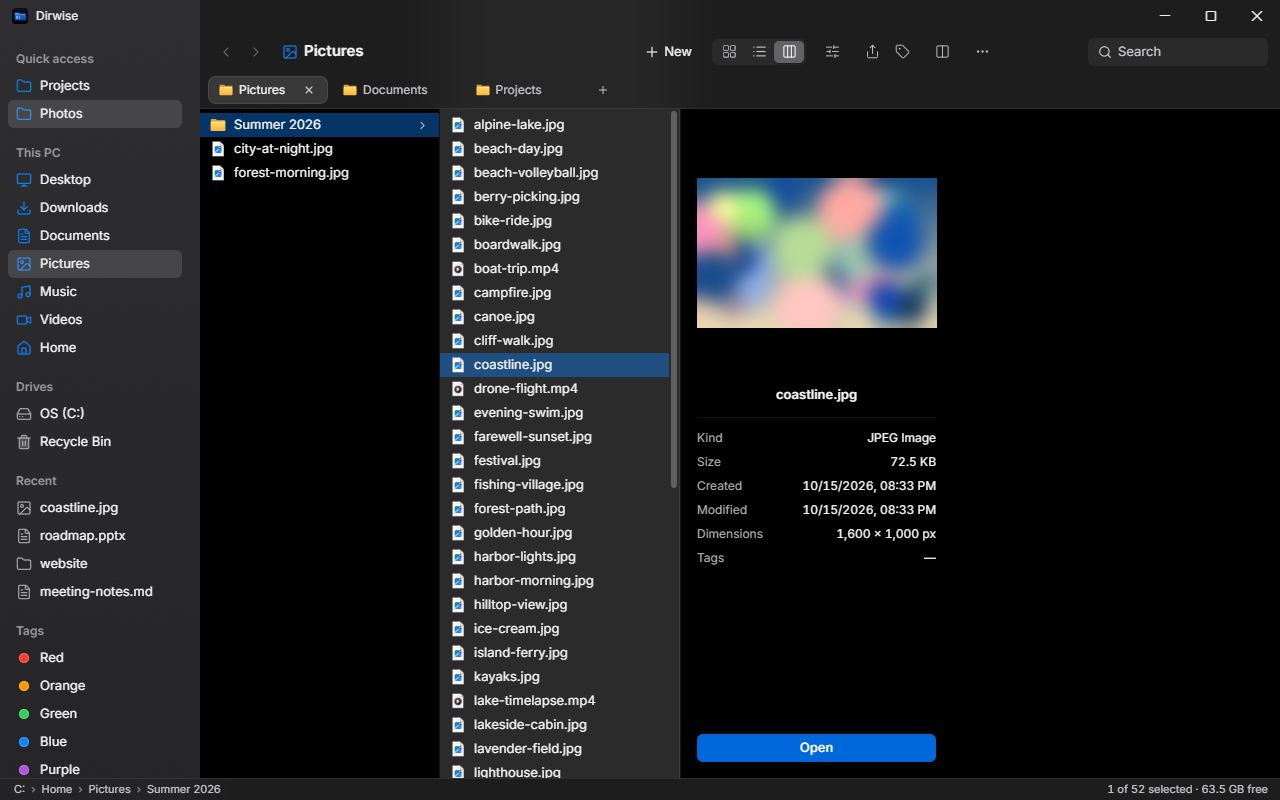
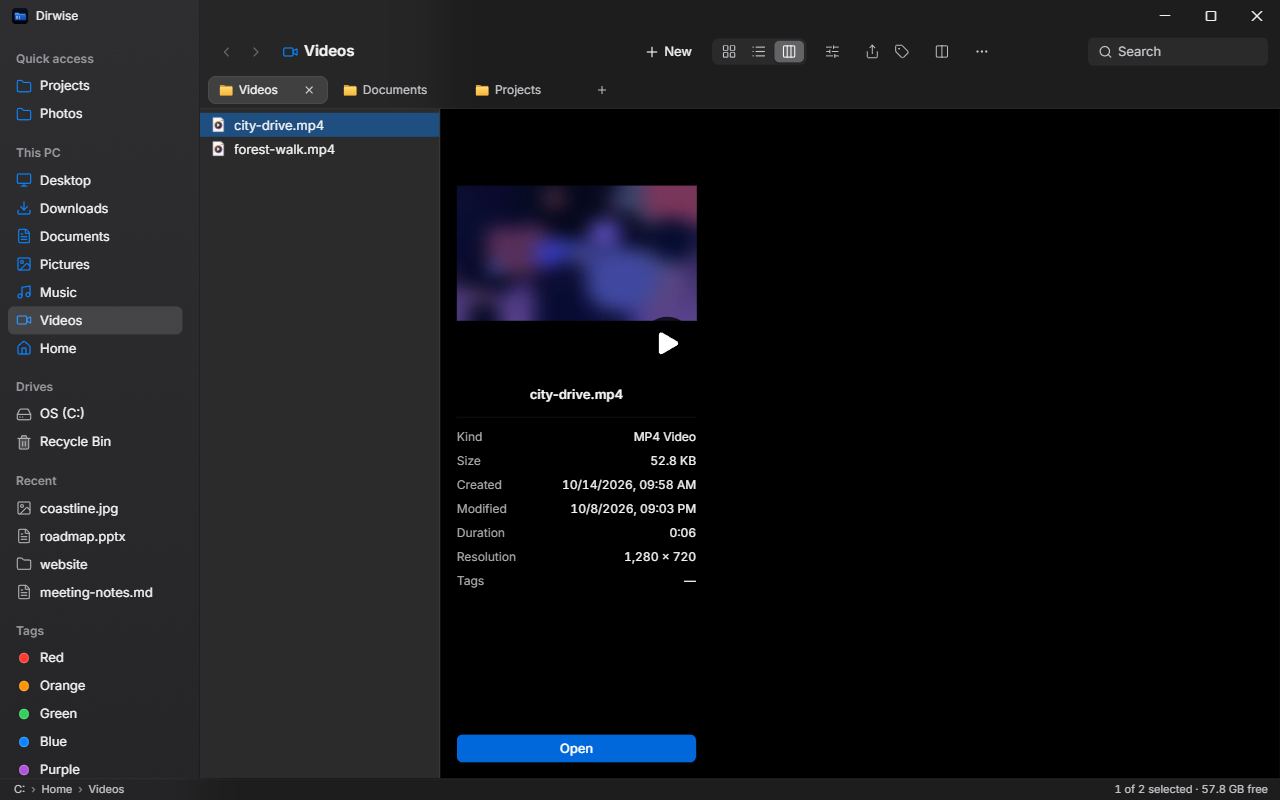
Column view
Miller columns with a preview pane – browse deep folder trees and see file details without opening anything.
A free, open-source file manager for Windows with column view, tabs, split view and a Ctrl+K command palette.
winget install krystof2-ops.Dirwisecoming soonFeatures
A file manager built around the keyboard, with the views and tools you reach for every day.
Miller columns with a preview pane – browse deep folder trees and see file details without opening anything.
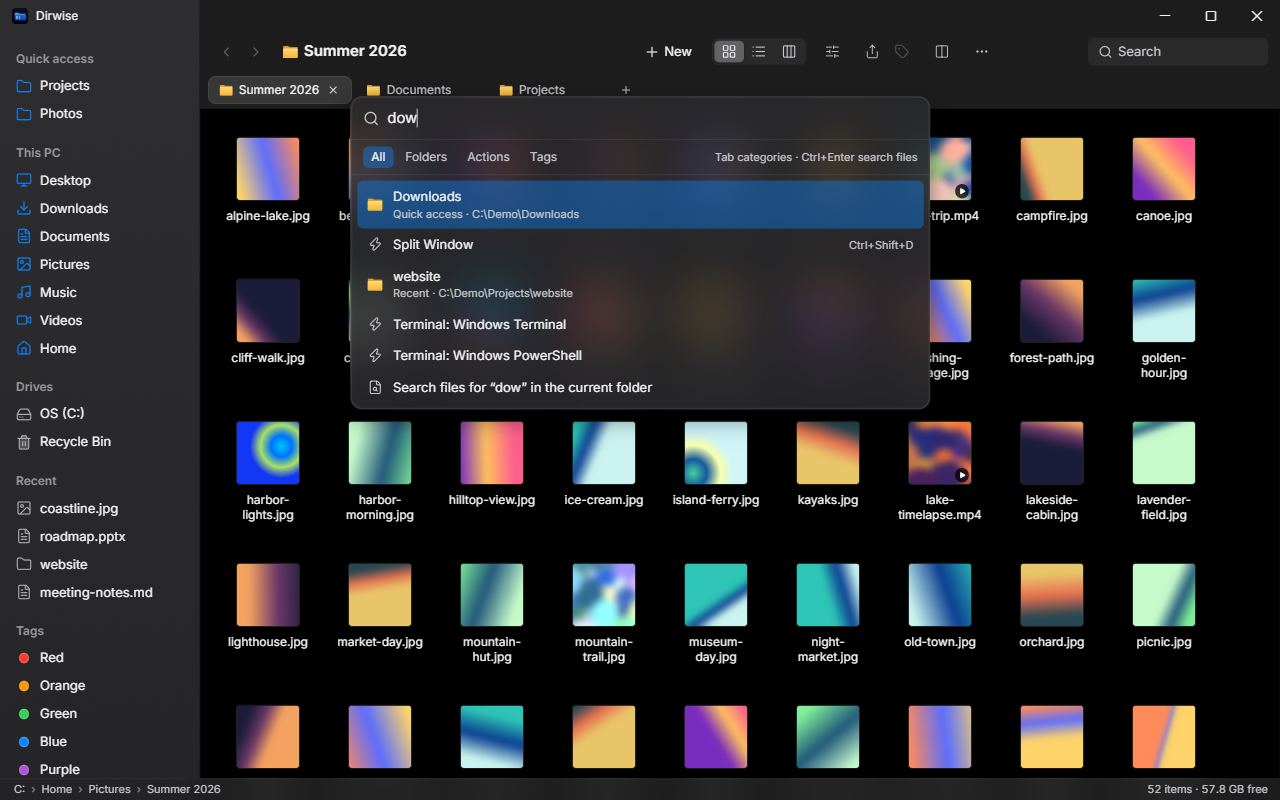
Find folders, actions and tags in one box; type a path to jump straight there.
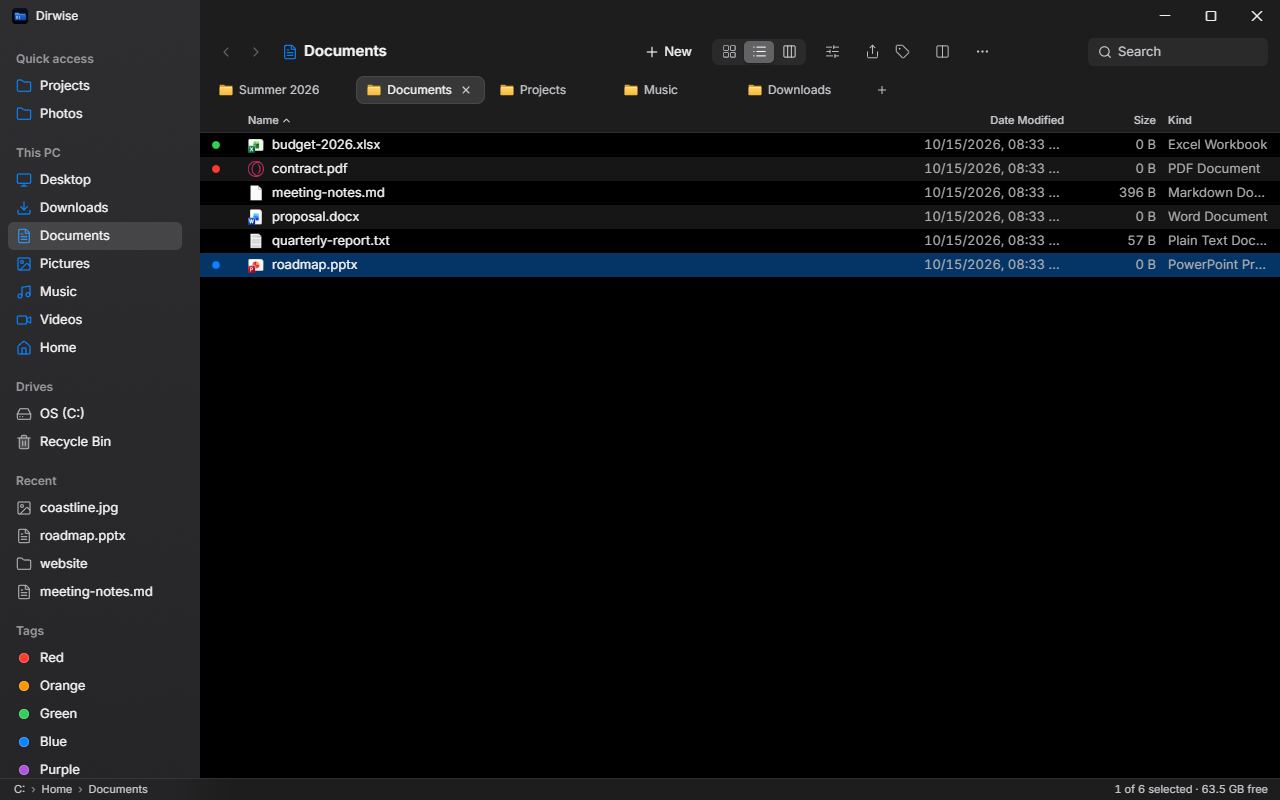
Each tab keeps its own history, view and selection; drop files on a tab to move them there.
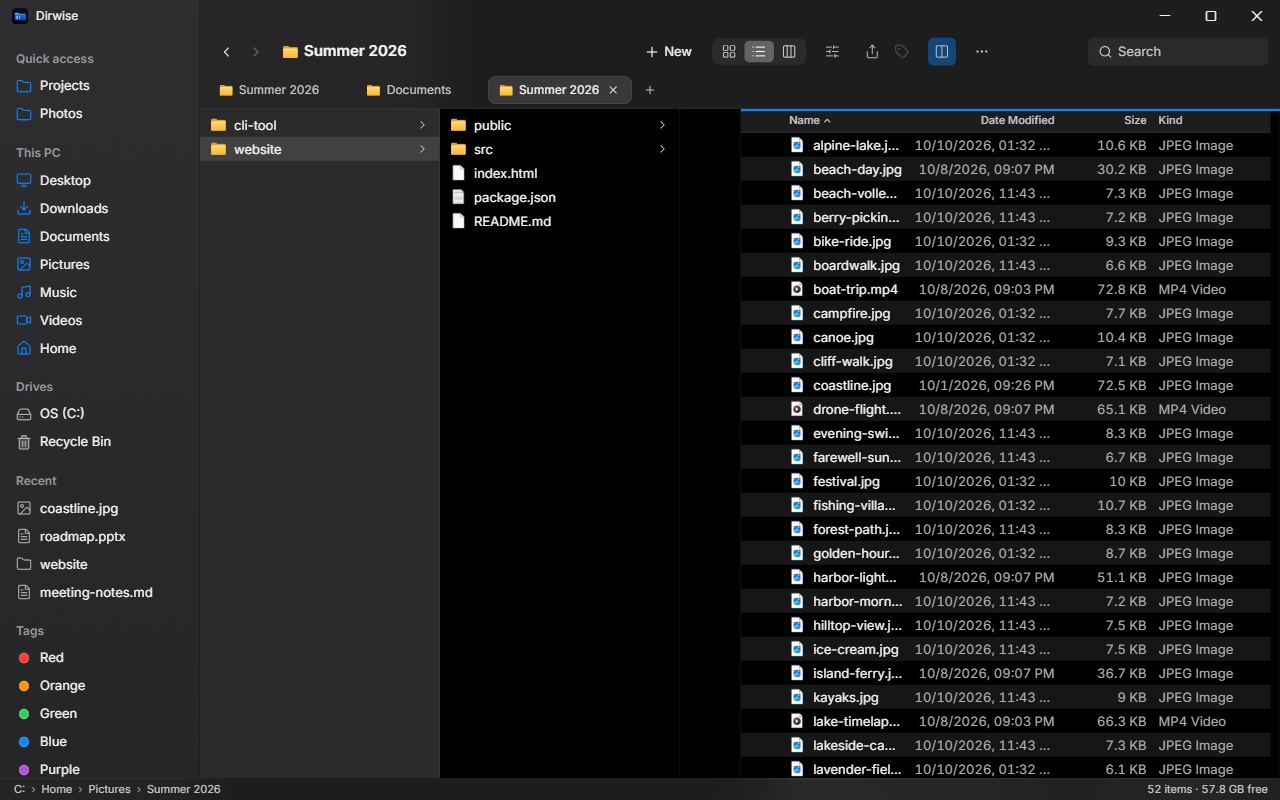
Ctrl+Shift+D opens two panels side by side; F5 and F6 copy or move to the other one.
Space previews images, PDF, video, audio, text, source code and Markdown.
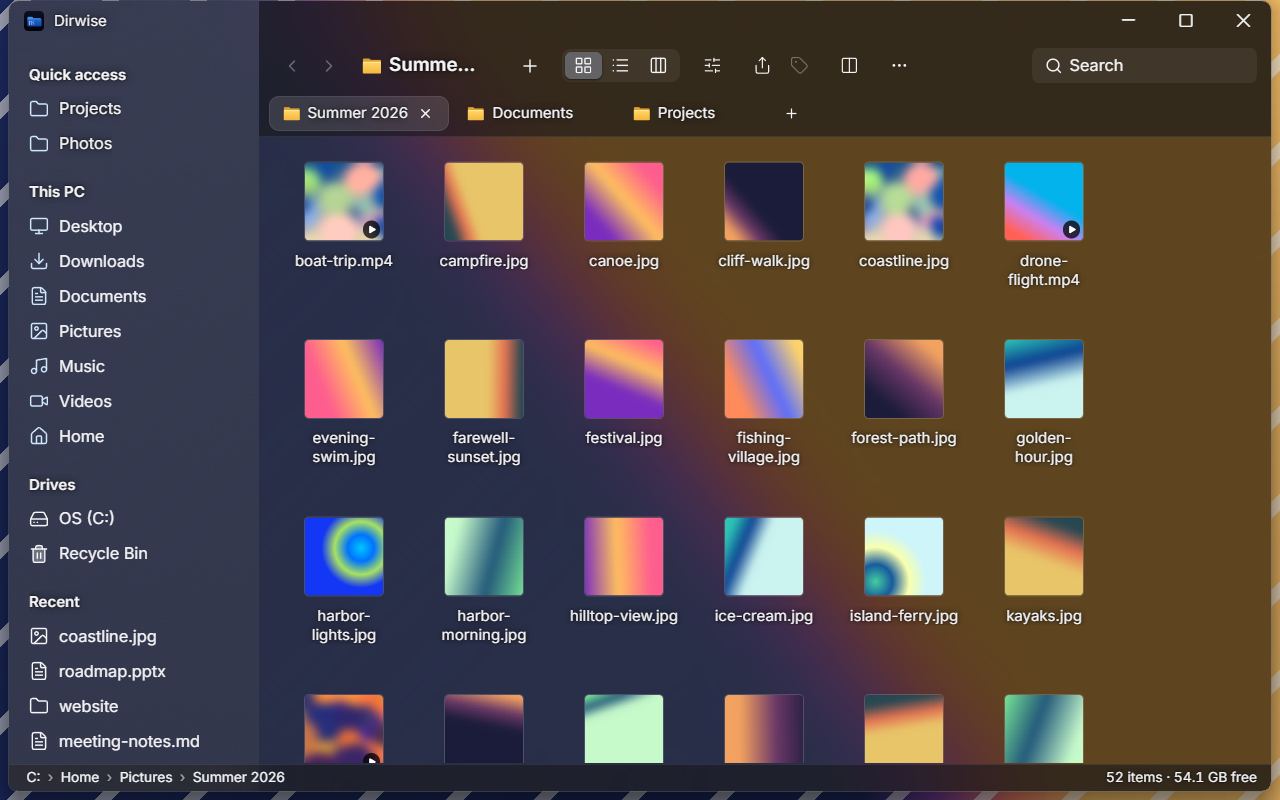
Optional blurred transparency on Windows 11 22H2 and later, in three strengths.
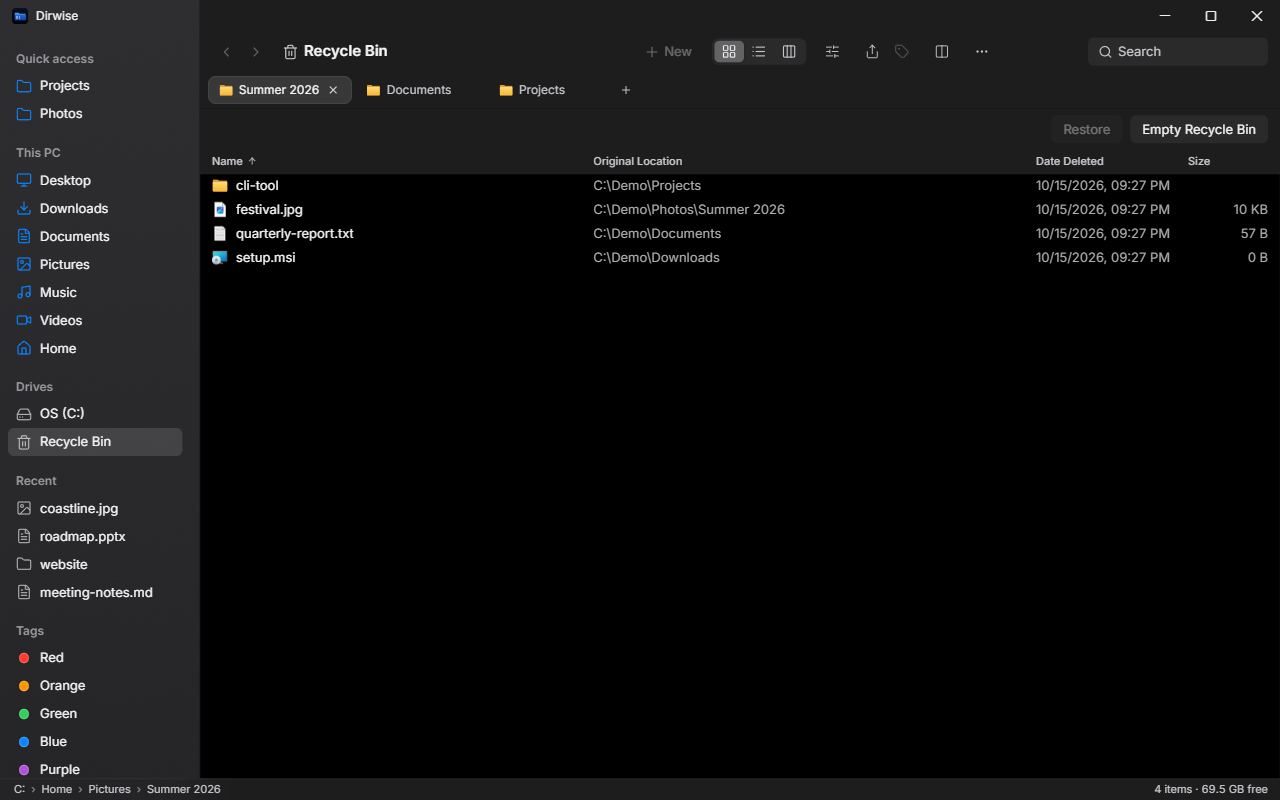
Browse deleted items with their original location and restore them without overwriting anything.
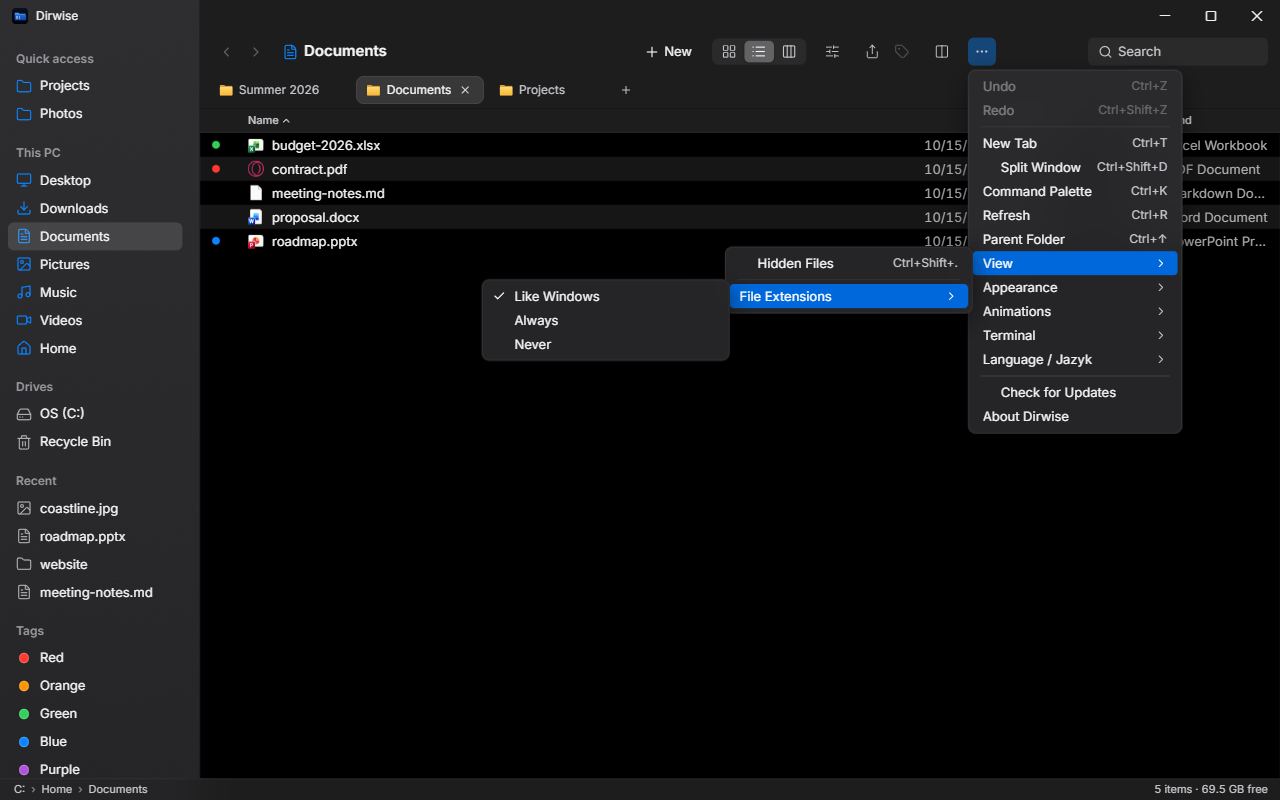
File extensions follow the Windows setting – or show them always or never.
Demo
Keyboard
The essentials. Everything else is in the full list.
| Shortcut | Action |
|---|---|
| ↑ ↓ ← → | Move the selection (Icons follow the grid, Columns move between columns) |
| Shift + arrows / click | Extend the selection |
| Ctrl + click | Add / remove an item from the selection |
| Home / End, PgUp / PgDn | First / last item, page up / down |
| Typing letters | Jump to the item whose name starts with them |
| Enter / Ctrl+↓ | Open selected item |
| Backspace / Alt+← | Back |
| Alt+→ | Forward |
| Alt+↑ / Ctrl+↑ | Go to parent folder |
| Ctrl+L | Edit path |
| Ctrl+F | Focus search field (Enter = recursive search, ↓ = into results, Esc = clear) |
| Ctrl+C / Ctrl+X / Ctrl+V | Copy / cut / paste (Windows clipboard) |
| Ctrl+Shift+Z | Redo |
| Tab | Switch active panel (split view) |
| Ctrl+Tab / Ctrl+Shift+Tab | Next / previous tab |
| Ctrl+1 … Ctrl+9 | Go to tab 1–8 / the last tab |
| Ctrl+D | Duplicate |
| Ctrl+A | Select all (not in Column view) |
| Ctrl+Shift+N | New folder |
| F2 | Rename |
| Delete | Move to Recycle Bin (in the Recycle Bin: delete permanently) |
| Shift+Delete | Delete permanently (with confirmation) |
| Ctrl+R / F5 | Refresh (F5 outside split view) |
| Ctrl+Shift+. | Show / hide hidden files |
| Esc | Clear selection; close search results; close menus and dialogs |
| ← / →, Esc | Previous / next file, close (in Preview) |
| Mouse button 4 / 5 | Back / forward |
| Middle click on a folder / tab | Open in a new tab / close the tab |
FAQ
Yes. Dirwise is free and open source under the MIT license – no ads, no account, nothing to buy.
The installer from GitHub isn't code-signed, so SmartScreen shows “Windows protected your PC”. Click More info → Run anyway. The Microsoft Store version installs without this warning and updates through the Store.
No – no telemetry, no analytics, no crash reports. The GitHub version asks the GitHub API at most once a day whether a new version exists (you can turn it off in More → Check for Updates); the Store version itself makes no network requests. Details are in the privacy policy.
Yes, on Windows 10 and 11 (x64). Blurred transparency needs Windows 11 22H2 or later – on older systems the option simply isn't offered.
Bug reports, ideas and pull requests are welcome on GitHub. The interface is in English and Czech; texts live in the translation files in src/i18n, so a new language starts with a new file there.