Rich text or Markdown
Each note is rich text with images, or Markdown with a live preview next to the source: tables, task lists and syntax-highlighted code.
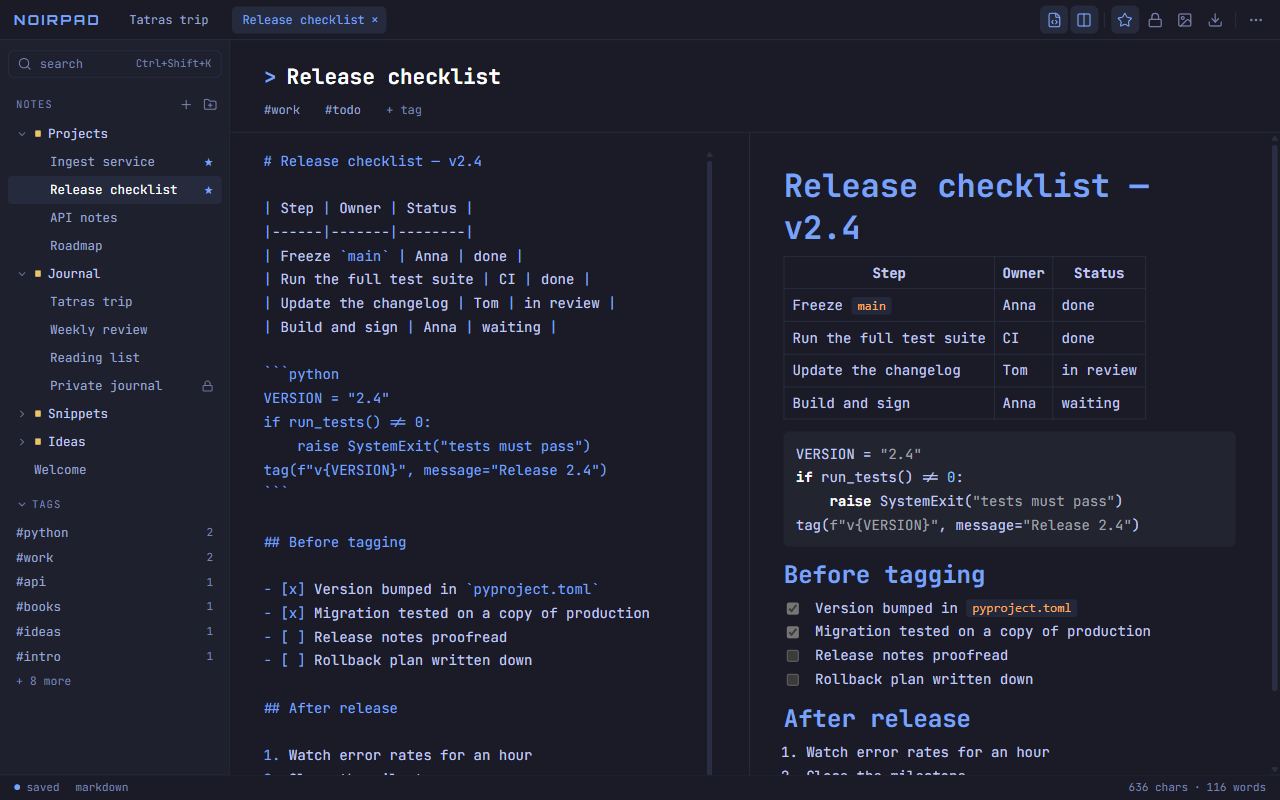
Notes stay in a folder on your PC. No account, no cloud, no telemetry.
Windows may show a SmartScreen warning – see how to install.
features
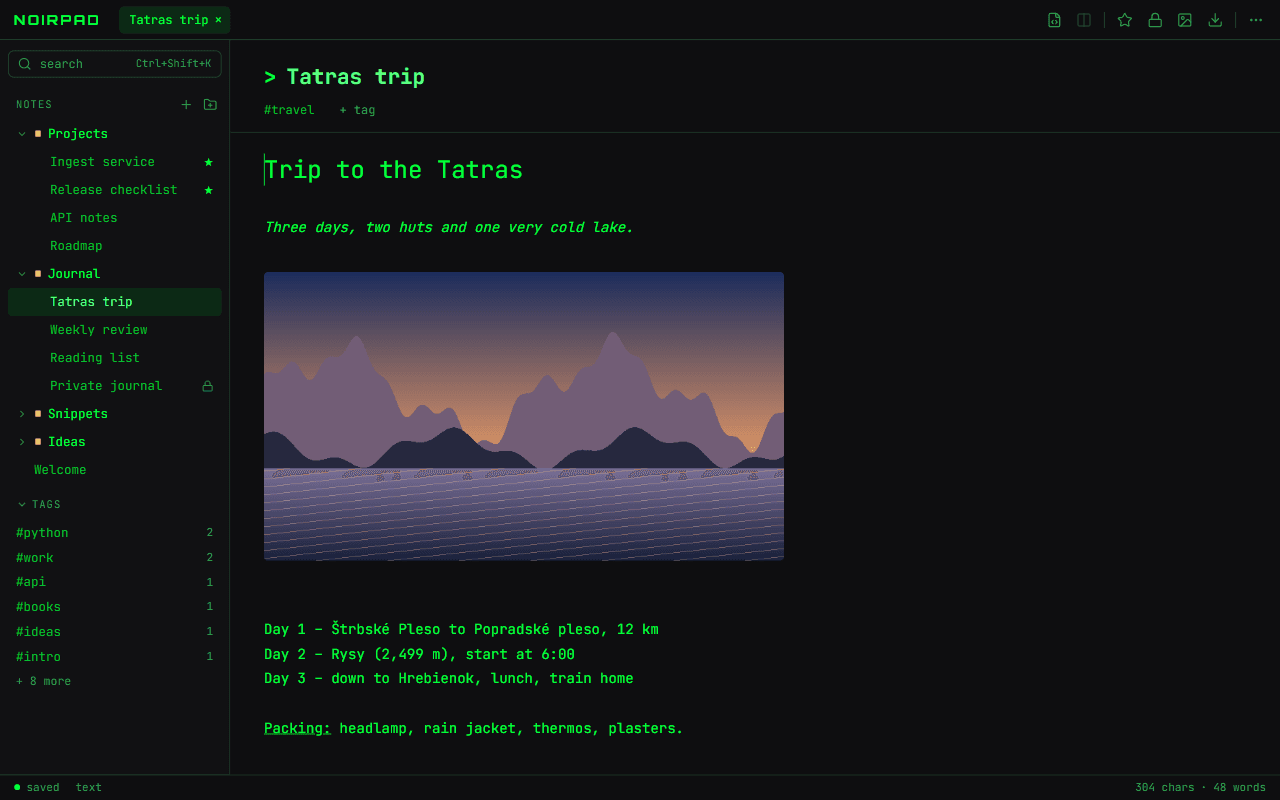
Rich text or Markdown, tabs, folders and tags – in a dark, keyboard-friendly window.
Each note is rich text with images, or Markdown with a live preview next to the source: tables, task lists and syntax-highlighted code.
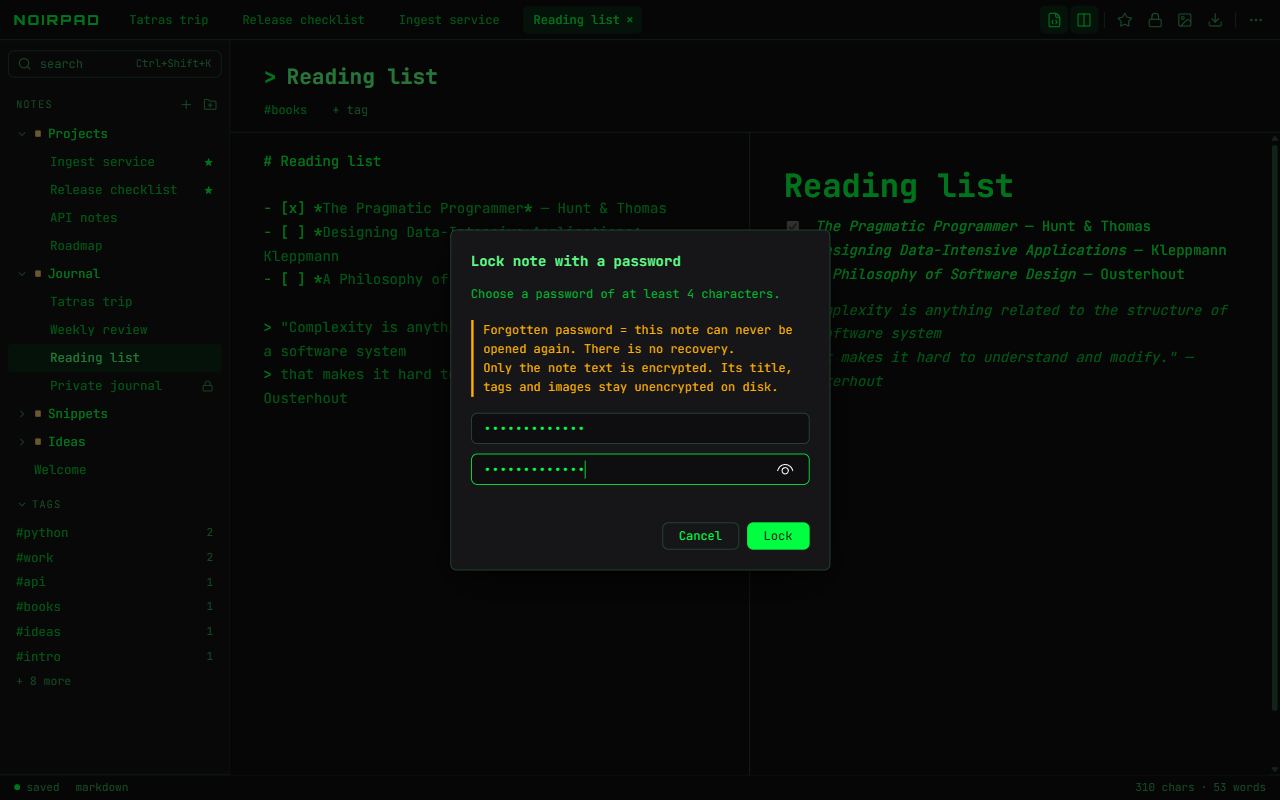
Ctrl+Shift+L locks a note with its own password and encrypts its text (from version 1.1.0 also its formatting and links). A forgotten password cannot be recovered.
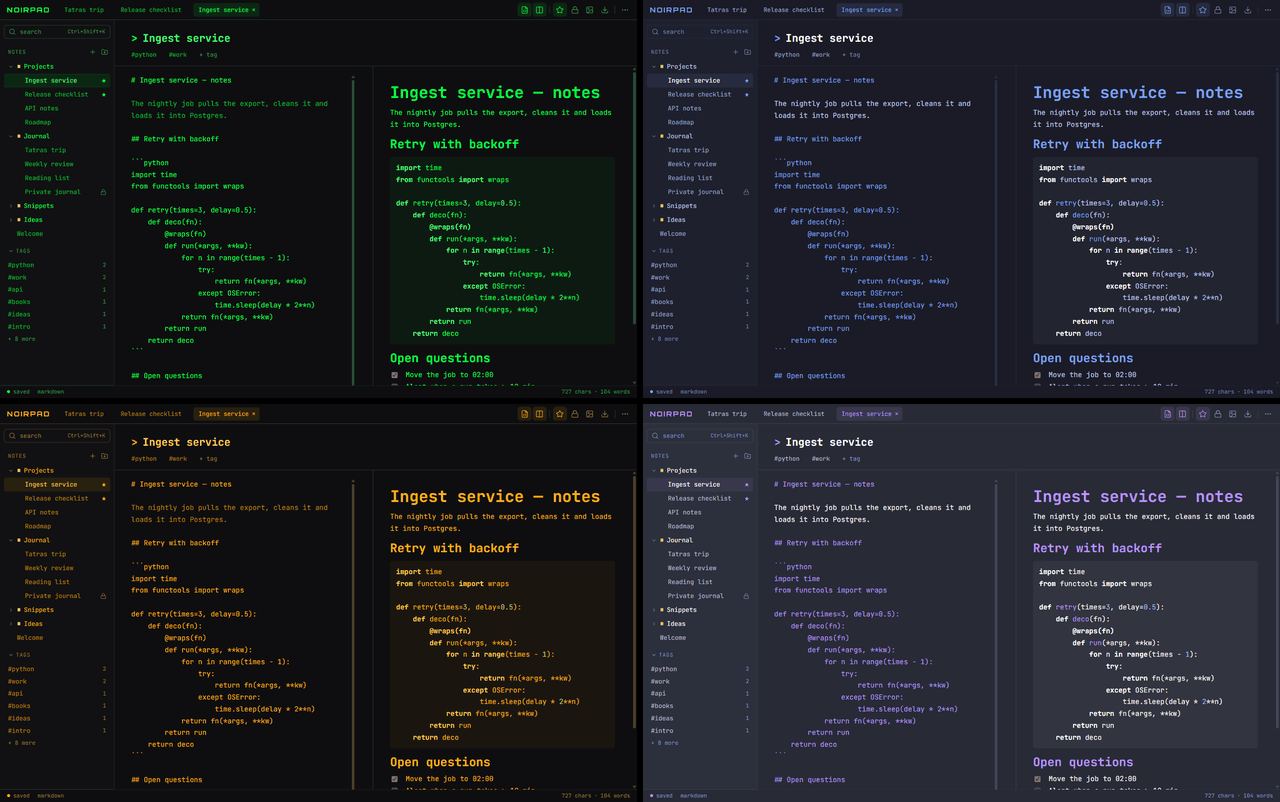
From terminal green to a dark blue theme. Glow, CRT scanlines and falling-code rain are optional – off by default.
Ctrl+Shift+P opens the command bar – type :theme, :tag, :export or :encrypt instead of looking for a menu.
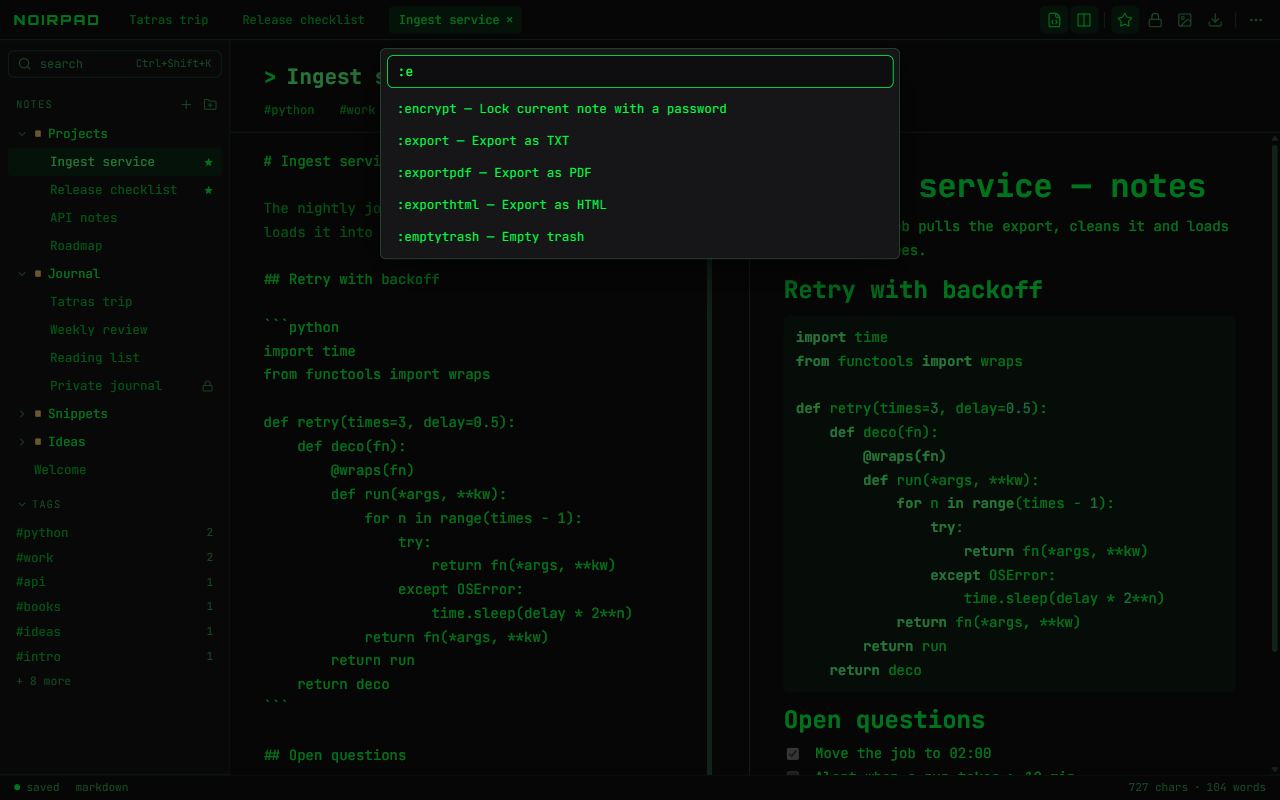
Open notes in tabs and sort them into folders with drag and drop. Focus mode hides the rest.
Filter by tag in the side panel, pin favorites to the top. Deleted notes wait in the trash.
Ctrl+F finds text in the note, Ctrl+Shift+K searches all your notes at once.
A note as TXT, HTML or PDF; all unlocked notes as Markdown files or HTML pages in one ZIP.
One ZIP with all notes and images, plus automatic snapshots: the last 7, at most one per 10 minutes.
demo
A new note, Markdown with live preview, a theme from the command bar and a password lock – in 15 seconds.
privacy
Notes, images and backups are in one folder on your PC: %LOCALAPPDATA%\NoirPad (Microsoft Store version, from version 1.1.0: %USERPROFILE%\NoirPad).
Nothing to sign up for and nothing to sync. No telemetry, no ads.
Fonts, the Markdown renderer and the code highlighter are bundled; there is no update check. Only links you click leave the app.
Locking encrypts the text of that one note – from version 1.1.0 also its formatting and links – with Fernet (AES) and a key derived from your password via PBKDF2 (480,000 iterations, a random salt per note).
A forgotten note password cannot be recovered – there is no reset and no back door.
Read the privacy policyinstall
NoirPad is free. The Microsoft Store version is on its way.
The installer from GitHub is not code-signed, so Windows may show a SmartScreen warning – choose “More info” → “Run anyway”.
keyboard
The most used ones. Every shortcut can be remapped in Settings.
| Shortcut | Action |
|---|---|
| Ctrl+Shift+N | New note |
| Ctrl+S | Save |
| Ctrl+M | Switch between rich text and Markdown |
| Ctrl+Shift+K | Search all notes |
| Ctrl+Shift+P | Command bar |
| Ctrl+Shift+L | Lock or unlock the note |
| Ctrl+Shift+F | New folder |
| Ctrl+F/F3/Shift+F3 | Find in the note, next / previous match |
| Ctrl+D | Add to / remove from favorites |
| F2/Delete | Rename / move to trash |
| Ctrl+B/Ctrl+I/Ctrl+K | Bold / italic / link (from version 1.1.0 also in rich text; in 1.0.2 only in the Markdown editor) |
| Ctrl+Shift+B | Focus mode, hides the side panel (from version 1.1.0; in 1.0.2 it is Ctrl+B outside the Markdown editor) |
| Ctrl+Shift+V/Ctrl+Space | Paste as plain text / clear formatting of the selection |
| Ctrl+Tab/Ctrl+W | Next tab / close tab |
| Ctrl+,/F1 | Settings / help |
faq
No. The password is not stored anywhere and there is no reset or back door – without it, the text of that note cannot be decrypted. Choose a password you will remember.
The text of a locked note – from version 1.1.0 also its formatting and links (in 1.0.2 they are not encrypted). Its name, tags and folder, the images in it, favorites and settings are not encrypted. Notes you don't lock are stored as plain text. The optional app lock asks for a password when NoirPad starts and after a period of inactivity – it does not encrypt anything.
On your computer, in %LOCALAPPDATA%\NoirPad (Microsoft Store version, from version 1.1.0: %USERPROFILE%\NoirPad): notes_data.json with notes and settings, the images folder, automatic backups and logs (never with note content). Uninstalling keeps your notes unless you choose to delete them too.
Choose Download backup (.zip) in the ⋯ menu (or :backup in the command bar) – it saves one ZIP with all notes and images. On the other PC, choose Import backup in Settings (or :import in the command bar). Importing replaces the notes there; NoirPad first saves a safety copy of them. Locked notes stay locked and still need their password.
Yes to both. NoirPad is free, without ads or in-app purchases, and its source code is on GitHub under the MIT license.